

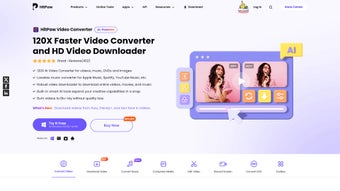
Description
Download HitPaw Voice Changer – free real‑time voice changer for Mac
Overview
HitPaw Voice Changer Mac is a free, lightweight application built especially for macOS users who want to have fun with their voice recordings or enhance their audio content in real time. Positioned in the Education & Reference category under the Science sub‑category, this tool serves a dual purpose: it is both a playful audio toy and a practical resource for educators, podcasters, streamers, and game developers. The program offers a clean, intuitive interface that makes voice modulation accessible to beginners while still providing enough depth for advanced users. Whether you are producing a tutorial, adding character voices to a video game, or simply spicing up a live stream, HitPaw Voice Changer delivers instant results without the need for a steep learning curve. The software supports a wide range of audio formats, ensuring that your recordings can be imported and exported without compatibility headaches. Moreover, its real‑time processing engine integrates smoothly with popular streaming platforms and recording software, allowing you to apply effects on‑the‑fly. Security is also a priority; the app is free to download from the official website, does not require invasive permissions, and receives regular updates to keep it stable and safe. In short, HitPaw Voice Changer Mac is a versatile, user‑friendly voice‑modulation tool that brings creativity and educational value to any Mac user’s toolkit.
Key Features
- Real‑time voice transformation with zero‑lag processing.
- More than 20 built‑in voice effects, including robot, alien, chipmunk, and deep‑voice.
- Support for multiple audio file formats: MP3, WAV, AAC, FLAC, and more.
- Seamless integration with streaming services such as Twitch, YouTube Live, and Discord.
- Simple drag‑and‑drop interface for quick file import and export.
- Customizable effect parameters (pitch, speed, echo, reverb) for fine‑tuned control.
- Batch processing mode to apply the same effect to multiple files at once.
- Built‑in audio preview so you can test each effect before applying it.
- Free updates that add new effects and improve stability.
- Lightweight installation package under 30 MB, ensuring fast download and minimal disk usage.
Installation & Usage Guide
Downloading and Installing the App
Begin by visiting the official HitPaw website and navigating to the Mac download page. Click the “Download for macOS” button, which will retrieve a .dmg installer file. Once the download completes, open the .dmg file and drag the HitPaw Voice Changer icon into your Applications folder. macOS may prompt you to confirm the installation because the app is from an identified developer; simply click “Open” to proceed. After the app is placed in your Applications folder, you can launch it by double‑clicking the icon or searching for it via Spotlight. The first launch may request access to your microphone; grant this permission to enable real‑time voice processing.
Getting Started with Real‑Time Voice Changes
Upon opening the program, you will be greeted by a clean dashboard that displays a waveform preview area, a list of available voice effects, and control sliders for pitch, speed, and other parameters. To change your voice during a live session, select the desired effect from the left‑hand panel, then click the “Live Mode” toggle. The app will start capturing audio from your microphone, applying the chosen effect instantly. You can monitor the transformed output through the built‑in headphones preview or route the audio to your streaming software using the virtual audio device created during installation. For recorded files, simply drag an audio file into the main window, choose an effect, adjust the sliders, and click “Apply.” The processed file will be saved in your chosen output format, ready for sharing or further editing. The intuitive layout ensures that even users with no prior audio editing experience can achieve professional‑grade voice modulation within minutes.
Compatibility & System Requirements
HitPaw Voice Changer is designed exclusively for macOS, supporting versions from macOS 10.13 (High Sierra) up to the latest macOS 14 (Sonoma). The software runs efficiently on both Intel‑based Macs and Apple Silicon (M1, M2, and later) thanks to its universal binary architecture. Minimum hardware specifications include a 1.4 GHz processor, 2 GB of RAM, and at least 200 MB of free disk space for the application and temporary files. While the program is lightweight, real‑time voice processing benefits from a stable internet connection if you plan to stream directly to online platforms. The app also integrates smoothly with popular audio‑routing tools such as Loopback, Soundflower, and BlackHole, making it compatible with virtually any recording or streaming software on macOS, including OBS Studio, Streamlabs, and QuickTime Player. For users who require accessibility features, HitPaw Voice Changer respects macOS’s built‑in VoiceOver and Dark Mode settings, ensuring a comfortable experience for all users. Regular updates from the development team keep compatibility current with new macOS releases, security patches, and emerging audio standards.
Pros and Cons
Pros
- Free to download and use with no hidden fees.
- Real‑time processing with virtually no latency.
- Intuitive UI suitable for beginners and professionals.
- Broad range of voice effects and customizable parameters.
- Seamless integration with popular streaming and recording apps.
- Lightweight footprint and fast installation.
- Regular free updates that expand feature set.
Cons
- Currently available only for macOS; no Windows or Linux version.
- Advanced users may miss a built‑in multi‑track editing suite.
- Some premium‑grade effects (e.g., cinematic reverb) are not included.
- Requires microphone permission, which may concern privacy‑focused users.
- Limited preset library compared to some paid competitors.
Frequently Asked Questions
Is HitPaw Voice Changer truly free for Mac users?
Yes, the Mac version of HitPaw Voice Changer is completely free. You can download, install, and use all built‑in voice effects without any subscription or hidden charges.
Can I use the app for live streaming on Twitch or YouTube?
Absolutely. The software creates a virtual audio device that can be selected as a microphone source in any streaming platform, allowing you to apply voice effects in real time during broadcasts.
Which audio formats does HitPaw Voice Changer support?
It supports MP3, WAV, AAC, FLAC, AIFF, and OGG, ensuring you can import and export virtually any common audio file without conversion.
Does the app work on Apple Silicon Macs?
Yes. HitPaw Voice Changer is a universal binary, meaning it runs natively on both Intel‑based and Apple Silicon (M1, M2, etc.) Macs, delivering the same performance across architectures.
Is my data safe when using HitPaw Voice Changer?
The application does not upload your recordings to any server. All processing occurs locally on your machine, so your audio stays private and secure.
Conclusion
HitPaw Voice Changer Mac stands out as a free, secure, and easy‑to‑use solution for anyone looking to explore voice modulation on macOS. Its real‑time capabilities, extensive effect library, and seamless integration with streaming platforms make it a valuable addition to the toolbox of educators, content creators, and casual gamers alike. While the lack of a Windows version and the modest set of premium effects may be a drawback for some, the overall value proposition remains strong—especially considering the zero cost. If you’re ready to add a new dimension to your audio projects, simply download HitPaw Voice Changer today, install it in seconds, and start experimenting with voice transformations that can make your streams, podcasts, or classroom recordings truly memorable.
Guides & Tutorials for HitPaw Voice Changer Mac
How to install HitPaw Voice Changer Mac
- Click the Preview / Download button above.
- Once redirected, accept the terms and click Install.
- Wait for the HitPaw Voice Changer Mac download to finish on your device.
How to use HitPaw Voice Changer Mac
This software is primarily used for its core features described above. Open the app after installation to explore its capabilities.
User Reviews for HitPaw Voice Changer Mac 0
No reviews found





.webp)